


Learn how to draw - ArtWorkout
4.45.58K Reviews
App Specs
- Version
- 0.1.88
- Updated On
- License
- Free
- Downloads
- 10,000,000+
- Developer
- ArtWorkout
- Categories
- Art & Design
- Platform
- Android
Screenshots


 Analysis by AppCompare
When I want to practise drawing but don’t have a clear plan, Learn how to draw - ArtWorkout is appealing because it gives the session some structure. It is an art-learning app from ArtWorkout, available free, with optional in-app purchases. Rather than opening a blank canvas and wondering what to make, I can treat it as a guided exercise: choose a lesson, follow its stages, and focus on the next mark. That makes it useful for short, low-pressure practice as well as for someone trying to build a more regular habit.
A practical starting routine
I get the most from a drawing lesson when I slow down enough to notice what each stage is teaching. Instead of racing to finish the picture, I look at the underlying shapes and proportions first, then compare my attempt with the next step. That small change turns a copying exercise into a way to practise seeing. If a result looks off, I can pause and work out whether the problem is the size, angle, or placement of a shape before moving on.
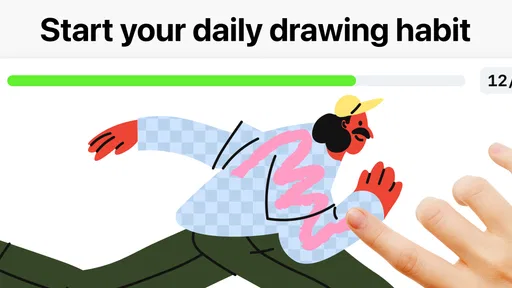
A realistic use is a short break at home: I open a lesson, work through one manageable section, and stop while I still have time to think about what I learned. The benefit is not that every session produces a polished drawing; it is that I have a clear prompt and a reason to pick up the stylus or finger again tomorrow. Beginners who find an empty page intimidating may appreciate that direction. Someone who already knows exactly what they want to draw may prefer a conventional drawing app that puts a blank canvas and flexible tools first.
Small habits that make practice better
I would treat the app’s lessons as practice material rather than a substitute for all independent drawing. Once I finish a guided subject, I can try drawing the same object again from memory, or change its angle and see which parts I understand. This is a useful way to check whether I followed the demonstration or merely copied each mark as it appeared. Keeping a simple personal routine—one guided exercise, then a brief freehand attempt—also gives the session a more satisfying finish.
The app sits between a traditional drawing tutorial and a general-purpose digital art tool. A video lesson can be comfortable to watch, but it may leave me to judge my own progress; a blank-canvas app gives me room to experiment, but offers little structure by itself. ArtWorkout’s guided approach is the better fit when I want a prompt and a sequence to follow. It is less suitable when my priority is detailed illustration work, custom brush control, or an open-ended canvas workflow. I would use it to practise fundamentals, then move to a dedicated art program if a project needed more control.
Getting Started with ArtWorkout
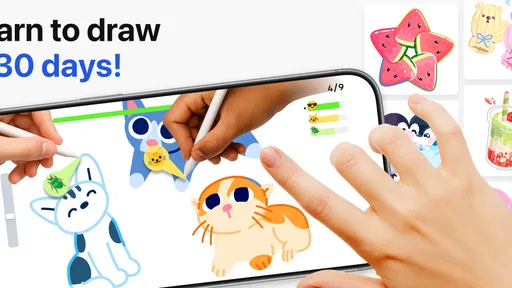
First things first, downloading and setting up Learn how to draw - ArtWorkout is a breeze. Available on both Android and iOS, it welcomes you with an inviting interface that’s perfect for beginners. The app is organized into different sections, so whether you’re looking to draw animals, landscapes, or even manga, it’s all just a tap away.
Features That Make It Stand Out
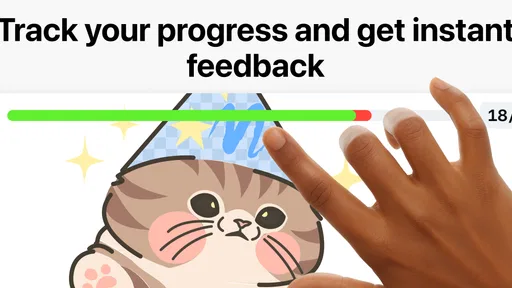
One of the coolest features is the step-by-step tutorials. Each lesson breaks down the drawing process into manageable chunks, making it super easy to follow. You can literally watch your art evolve from basic shapes to a masterpiece. I found the real-time feedback particularly helpful; it’s like having a mini art instructor in your pocket.
Worth Reading Before You Choose

Switching to Android Auto Means Rethinking Your Driving Routine

Google Calendar Makes a Crowded Week Easier to Manage

Baby Panda World Brings Quick Play to Modern Phones, but Its Game Library Feels Busy

ESPN’s Live Game View Makes Following Close Games Easier

QuizzLand Review: A Good Fit for Short Trivia Breaks, Not Every Player

Basketball Stars: Multiplayer Is Fast, but Can It Recover When Matches Go Wrong?
Another thing I love about ArtWorkout is the freedom to choose from different styles and techniques. Whether you’re into sketching, watercolor, or digital art, there’s something for everyone. The app even includes challenges to test your skills, which is a fun way to track your progress.
Is It Worth Your Time?
Now, you might be wondering if this app is worth the space on your phone. If you’re a beginner looking to dip your toes into the world of art, I’d say absolutely. The app is engaging, educational, and makes learning fun. Plus, it’s great for all ages, so whether you’re 10 or 100, you can learn something new.
On the flip side, if you’re already an experienced artist, you might find some of the tutorials a bit basic. However, the app still offers advanced techniques that can help hone your skills.
Where the guided format reaches its limits
The guided format is also the main trade-off. Feedback can help me notice whether my marks are following an exercise, but it should not be treated as a complete critique of a finished drawing. A lesson can guide a particular task without teaching every principle behind it, such as how to design a composition for a personal project or develop a distinctive style. I’d pair the exercises with observation away from the screen: sketch a cup on the table, compare its silhouette with the real object, and then return to a guided lesson when I want a clearer demonstration.
There is also a difference between learning a technique and gaining control over the tools used in a full art studio. A phone-sized screen is convenient for a quick session, but it can feel cramped when I want to inspect fine details or make a larger, layered piece. A tablet and stylus may make guided practice more comfortable, while a dedicated illustration app is usually the more natural choice for a complex project. I would not choose ArtWorkout as my only creative workspace if exporting, elaborate editing, or a fully customizable toolset is central to my work.
Settings, pace, and repeatable practice
Before settling into a routine, I would check the available lesson and drawing settings rather than assume one setup suits every exercise. The best arrangement depends on how I draw: a finger can be enough for broad shapes, while a stylus generally makes controlled lines easier. I also try a short exercise first, so I can see whether the screen feels comfortable and whether the pace leaves me time to follow each step. If I am struggling, slowing down and focusing on one stage is more useful than pushing through just to reach the end.
For a repeatable session, I keep the goal deliberately narrow. I might choose one subject, complete the guided attempt, then make a second version without looking at the sequence. If the second drawing falls apart, that tells me what to practise next; if it holds together, I can try a variation rather than repeating the same picture indefinitely. This approach makes challenges more useful too: I can treat them as a prompt to apply a skill, not merely as a score to chase. It is a small shift, but it helps turn app time into deliberate practice.
Who will get the most from it
ArtWorkout is a particularly sensible choice for a beginner who wants a clear starting point, a casual learner who enjoys short exercises, or a parent looking for an approachable creative activity for a child old enough for its age guidance. Its content rating is Everyone 10+, and the app has an average rating of 4.4 from around 261,000 ratings, with over 10 million installs. Those figures suggest that it has found a broad audience, but I would still judge it by whether its guided style suits the way I like to learn.
The app is free to start, while optional purchases range from $4.99 to $59.99 per item. I would explore the free experience before spending, then decide whether the lessons I actually use justify paying for more. That matters if I am only looking for an occasional drawing prompt. It also answers a practical question for families: the starting price is free, but some content or options may involve purchases, so I would check what is included before letting a child browse or buy anything.
Questions I would settle before committing
If you are wondering whether you need to be good at drawing already, I would say no: guided stages are most useful when you want help getting started. If you are asking whether it can replace a sketchbook, I would not expect it to; I see it as a companion for structured practice, while paper remains handy for quick studies and drawing from life. And if your aim is to produce finished commercial illustrations, I would start with professional art software instead and use this app only if its exercises fill a specific learning gap.
It is also worth thinking about how you prefer to learn. If you enjoy following a visual demonstration and making marks as you go, the format can make practice feel approachable. If you learn better from anatomy books, long-form instruction, or open experimentation, a course, book, or flexible canvas app may suit you more. There is no need to force every kind of art learning into one tool; the useful question is whether a guided session gets you drawing more often and thinking more carefully about what you see.
What the numbers and version mean in practice
The app was released on December 16, 2024, and its current version is 0.1.71, with Android 8.0 as the minimum operating-system requirement. I would check that my device meets that requirement before trying to install it. The version number is also a reminder to keep expectations grounded: I would approach it as an evolving learning app, not assume that every workflow will feel as mature or customizable as specialist drawing software. For an everyday learner, the core question remains whether the lessons are engaging and comfortable to follow on the device at hand.
ArtWorkout is made by ArtWorkout, and its focus on guided drawing gives it a clear identity. I would recommend it to someone who wants a friendly nudge to practise, especially if choosing a subject and planning every step feels like the hardest part. I would skip it as a primary tool if I already have a strong independent practice or need the freedoms of a full digital studio. Used with patience, a little repetition, and occasional drawing away from the screen, it can be a useful way to build confidence rather than just pass time.
Final Thoughts
In a nutshell, Learn how to draw - ArtWorkout is a fantastic tool for anyone wanting to explore their artistic side. From its user-friendly interface to the vast array of tutorials, it’s a must-have for budding artists. So go ahead, give it a try, and let your creativity flow!
Ready to start your art journey? Check out the download links on our site and get drawing!
Pros
- User-friendly interface for beginners.
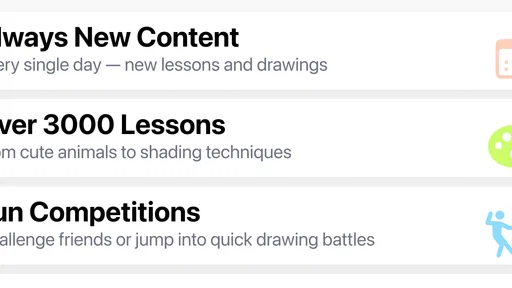
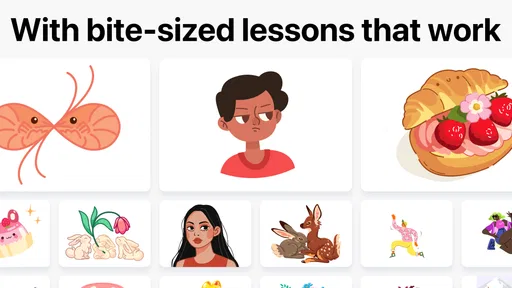
- Wide range of drawing tutorials offered.
- Offline access for lessons available.
- Encourages creativity with diverse tools.
- Interactive feedback enhances learning.
Cons
- Limited advanced techniques for experts.
- Ads can interrupt the learning flow.
- In-app purchases can be pricey.
- Requires regular updates for new content.
- Some tools lack detailed explanations.
FAQs for Learn how to draw - ArtWorkout
What is ArtWorkout and who is it suitable for?
ArtWorkout is a drawing app designed to teach users how to draw through guided exercises and tutorials. It's suitable for beginners looking to learn basic drawing skills, as well as intermediate artists wanting to refine their techniques. The app offers step-by-step instructions, making it accessible for users of all ages.
What features does ArtWorkout offer to enhance the learning experience?
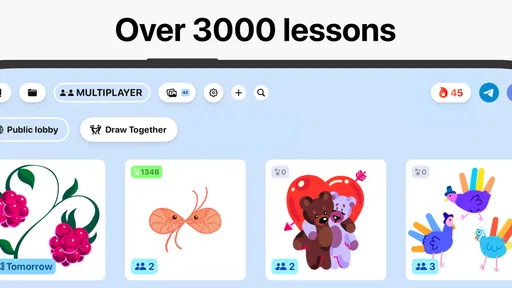
ArtWorkout provides a variety of features, including guided tutorials, interactive exercises, and a large library of lessons covering different styles and techniques. Users can track their progress, receive feedback, and explore challenges to improve their skills. The app also supports drawing with fingers or styluses, catering to different preferences.
Is ArtWorkout available for both Android and iOS devices?
Yes, ArtWorkout is available for both Android and iOS. The app can be downloaded from the Google Play Store and the Apple App Store. It is optimized for smartphones and tablets, ensuring a smooth user experience across different devices. Regular updates keep the app compatible and feature-rich.
Does ArtWorkout require any in-app purchases or subscriptions?
ArtWorkout offers a free version with basic features, but to unlock the full potential of the app, including advanced lessons and ad-free experience, users may need to make in-app purchases or subscribe to a premium plan. Pricing details can be found within the app and may vary by region.
Can I use ArtWorkout offline, or does it require an internet connection?
ArtWorkout offers offline functionality for certain features, allowing users to access previously downloaded lessons and continue practicing without an internet connection. However, to download new content, receive updates, or access community features, an internet connection is required. This flexibility ensures users can draw anytime, anywhere.


